Overview
Embed PDF Viewer is a lightweight plugin that allows you to display PDF documents directly within your WordPress pages or posts. It leverages the browser’s built-in PDF viewer to provide a seamless viewing experience without requiring additional tools or services.
Plugin Details
- Version: 2.4.6
- Type: Media Embed Plugin
- Dependencies: None
Purpose
The plugin makes it easy to embed PDF files in WordPress content. It’s ideal for displaying brochures, reports, forms, or manuals directly on your site without forcing users to download them.
How to Configure
There is no configuration required. The plugin works immediately after activation.
Usage Instructions
- To embed a PDF:
- Upload your PDF to the WordPress Media Library.
- Copy the file URL.
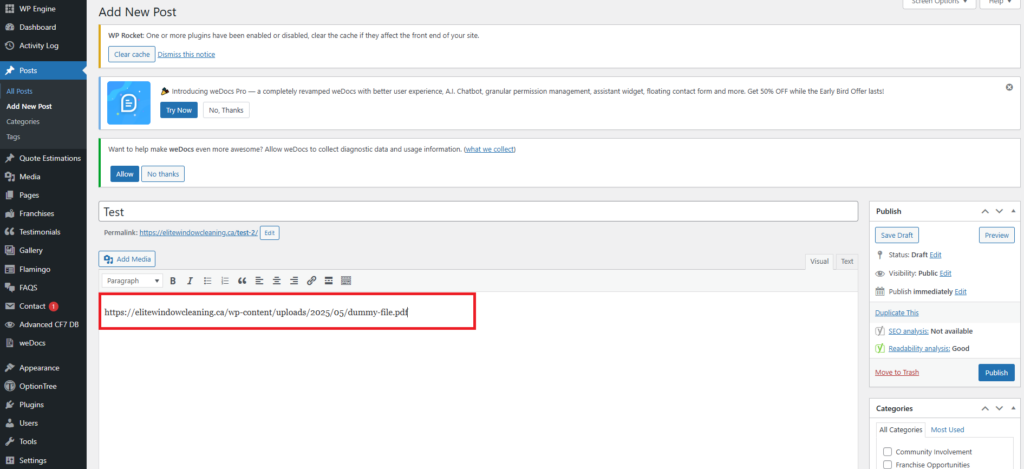
- Paste the URL directly into the content editor (Classic or Block Editor).
- The plugin automatically converts the link into an embedded PDF viewer.
Note: Make sure the PDF URL is on its own line for proper embedding.
Screenshot